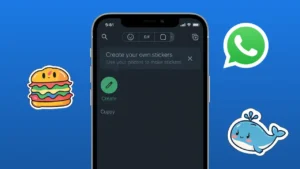
WhatsApp now allows users to create custom stickers directly from their phone without installing any third-party apps. This feature works on both Android and iPhone and makes sticker creation fast, simple, and safe.
If you want to turn your photos into stickers using only built-in tools, this guide will walk you through the exact steps.
Also read: How to Stop WhatsApp From Auto-Downloading Media and Filling Up Your Gallery
What You Need Before Creating Stickers
Before starting, make sure of the following:
- WhatsApp is updated to the latest version
- You have clear photos saved on your phone
- The image background is simple for better results
No extra apps, logins, or downloads are required.
How to Make Stickers on WhatsApp Using iPhone
On iPhone, WhatsApp includes a built-in sticker creator that works directly from the chat screen.
Steps to Create Stickers on iPhone
- Open WhatsApp and go to any chat
- Tap the emoji icon in the message box
- Select the sticker icon
- Tap Create
- Choose a photo from your gallery
- WhatsApp will automatically detect and cut the subject
- Adjust the sticker if needed
- Tap Send
The sticker is instantly saved and can be reused anytime.
How to Create Stickers on WhatsApp Using Android
Android users can also create stickers without external tools, though the method depends on the WhatsApp version.
Steps to Create Stickers on Android
- Open WhatsApp and enter a chat
- Tap the emoji icon
- Open the sticker section
- Tap Create
- Select a photo from your gallery
- Crop or edit the image if prompted
- Send the sticker
Once sent, the sticker becomes part of your personal sticker collection.
Also read: How to Reduce Chrome RAM Usage and Make Your Browser Faster
Tips for Better Sticker Results
To make your stickers look clean and professional:
- Use images with good lighting
- Avoid cluttered backgrounds
- Choose close-up photos
- Square images work best
- Simple expressions convert better into stickers
These small details make a big difference in sticker quality.
Where Your Stickers Are Saved
After creation:
- Stickers are stored inside WhatsApp
- You can access them anytime from the sticker panel
- No separate storage or folder is created
Your custom stickers remain available unless WhatsApp data is cleared.
Can You Edit or Delete Stickers Later
Currently:
- Stickers cannot be edited after sending
- You can remove them by clearing recent stickers
- Re-create a sticker if changes are needed
For best results, finalize the image before creating the sticker.
Why Creating Stickers Without Apps Is Useful
- No extra storage usage
- Faster process
- No permissions required
- Works offline after setup
- Cleaner and safer experience
This built-in approach is ideal for casual users who want quick customization.
Also read: How to Lock WhatsApp Chats Using Built-in Privacy Features
Final Thoughts
Making WhatsApp stickers without installing any app is now easy on both Android and iPhone. With just a photo and a few taps, you can create personalized stickers directly inside WhatsApp.
If you enjoy expressing yourself visually, this feature is worth using and keeps everything simple and streamlined.