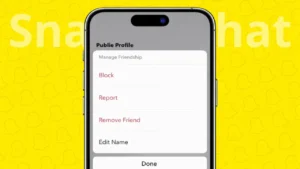
Over time, your Snapchat friends list can get crowded with people you no longer talk to. Snapchat allows you to remove friends quietly and easily, without sending any notification to the other person. Whether you want more privacy or just a cleaner list, you can do this using official Snapchat options.
This guide explains two simple ways to delete friends on Snapchat, step by step.
Also read: How to Find Mutual Friends on Snapchat Easily
Things to Know Before Removing a Friend
When you remove someone from Snapchat:
- They will no longer see your private Stories
- You will not see their private Stories either
- Saved chats stay only if both sides saved them
- Snapchat does not notify the person
Removing a friend is different from blocking and can be undone later.
Way 1: Delete a Friend From the Friends List
This method works best if you want to manage multiple friends.
Steps
- Open the Snapchat app
- Tap your Bitmoji or profile icon at the top
- Tap My Friends
- Find the friend you want to remove
- Press and hold their name
- Tap Manage Friendship
- Select Remove Friend
- Confirm your choice
The friend will be removed instantly.
Also read: How to Clear WhatsApp Call History Step by Step on Android and iPhone
Way 2: Delete a Friend From a Chat Conversation
If you already have a chat open, this method is quicker.
Steps
- Open Snapchat
- Go to the Chat screen
- Open the chat with the person
- Tap their profile picture or name at the top
- Tap the three-dot menu
- Choose Remove Friend
- Confirm
This removes the person from your friends list right away.
Can the Removed Person Tell You Deleted Them
No. Snapchat does not send any alert or message when you remove a friend. However, they may notice later if they can no longer see your private Stories or send you snaps.
Remove vs Block on Snapchat
It helps to understand the difference:
- Remove Friend: Stops private sharing but allows future re-adding
- Block: Completely prevents contact and hides your profile
If you want zero interaction, blocking is the better option.
Also read: How to Edit or Remove Your Last Name on Facebook Profile
Why Users Delete Friends on Snapchat
Some common reasons include:
- Reducing unnecessary contacts
- Improving privacy
- Removing inactive or unknown users
- Organizing the friends list
Snapchat gives users full control without making the process complicated.
Final Thoughts
Deleting friends on Snapchat is simple, private, and reversible. You can remove someone either from your friends list or directly from a chat, and both methods work the same way. Using these features helps you maintain better privacy and a cleaner Snapchat experience.
If you ever change your mind, you can always add the person again later.
Also read: How to Lock WhatsApp Chats on iPhone for Better Privacy