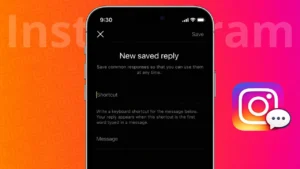
Managing Instagram messages can become time-consuming, especially if you reply to similar questions every day. Saved Replies is a built-in Instagram feature that helps you respond quickly without typing the same message again and again. This tool is especially useful for creators, businesses, and anyone who receives frequent DMs.
This guide explains what saved replies are, how they work, and how to use them effectively on Instagram.
Also read: How to Update Your Instagram Password Using Mobile or PC
What Are Saved Replies on Instagram
Saved Replies are pre-written messages that you can store inside Instagram and insert into chats whenever needed. Instead of typing a full response, you only need to use a shortcut to add the message instantly.
This feature is available for professional Instagram accounts, including Business and Creator profiles.
Who Can Use Saved Replies
Saved Replies are not available on personal accounts. To access them, your account must be switched to:
- Business account
- Creator account
You can change your account type anytime from Instagram settings.
Also read: How to Find the Email Address Linked to Your Instagram Account
How to Add Saved Replies on Instagram
Follow these steps to create your first saved reply:
- Open the Instagram app
- Go to your profile
- Tap the menu icon in the top-right corner
- Open Settings and privacy
- Tap Business tools and controls or Creator tools
- Select Saved replies
- Tap Add new reply
- Write your message in the Message field
- Add a short shortcut keyword
- Tap Save
Your saved reply is now ready to use.
How to Use Saved Replies in Instagram DMs
Once you have created saved replies, using them is simple:
- Open any Instagram DM
- Tap the message box
- Type the shortcut starting with a slash
- Select the saved reply from the list
- Send the message
The full message appears instantly, saving you time and effort.
Also read: How to Add Pronouns to Your Instagram Profile
Examples of Useful Saved Replies
Here are some common ways people use saved replies:
- Answering frequently asked questions
- Sharing business hours
- Sending pricing details
- Replying to collaboration requests
- Providing support information
You can create multiple saved replies for different situations.
How to Edit or Delete Saved Replies
If you need to update or remove a saved reply:
- Go to Instagram settings
- Open Saved replies
- Tap the reply you want to change
- Edit the message or shortcut
- Or tap Delete to remove it
Changes apply instantly.
Also read: How to Manage Drafts on Instagram the Right Way
Tips to Use Saved Replies Effectively
- Keep messages short and clear
- Use easy-to-remember shortcuts
- Update replies regularly
- Personalize replies when needed instead of sending them blindly
Saved replies should improve communication, not make it feel robotic.
Do Saved Replies Affect Message Privacy
No. Saved replies work only inside your account and do not share data with others. Messages are still sent manually, and you stay in control of every reply.
Final Thoughts
Saved Replies on Instagram are a powerful tool for anyone who wants to manage messages efficiently. Once set up, they reduce response time, improve consistency, and make daily communication much easier. If you receive similar DMs often, this feature is worth using.