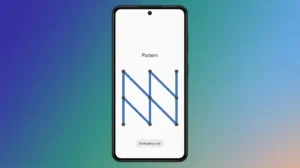
Your Android phone stores personal photos, messages, banking apps, passwords, and other sensitive information. While many users rely on a pattern lock to secure their device, choosing a simple pattern can make it much easier for someone else to unlock your phone.
In this guide, you’ll learn how to create a strong Android pattern lock that’s harder to guess while still being easy for you to remember.
Also read: How to Secure Your Android Phone With a Custom Gesture Lock
Why Your Pattern Lock Matters
A pattern lock is often the first layer of protection on your smartphone.
If your pattern is too simple, someone who knows you—or even someone watching you unlock your phone—may be able to guess it in just a few attempts.
Using a stronger pattern significantly improves your phone’s security without making it inconvenient to use.
Avoid Common Pattern Shapes
Many Android users unknowingly choose predictable patterns.
Avoid patterns like:
- Straight lines
- Simple “L” shapes
- Squares
- Zigzag patterns
- Letters such as C, M, N, S, or Z
- Starting from the top-left corner every time
These are among the first combinations someone might try.
Use More Pattern Dots
The Android pattern grid allows up to nine dots.
Instead of using only four or five dots, try connecting six, seven, or even all nine dots. Longer patterns are generally much more difficult to guess.
Start From a Different Position
Most people naturally begin their pattern from the top-left corner.
For better security, consider starting from:
- The center
- Bottom-left
- Bottom-right
- Middle-right
Changing the starting point makes the pattern less predictable.
Cross Over Existing Lines
A stronger pattern often includes overlapping paths.
Instead of drawing a simple shape, create a pattern that crosses previous lines or changes direction multiple times.
This makes it more difficult for others to recreate by simply watching your finger movement.
Keep Your Screen Clean
Fingerprints left on the display can sometimes reveal the path of a recently used pattern.
Cleaning your screen regularly helps reduce visible smudge marks that could make your pattern easier to identify.
Turn Off Visible Pattern Lines
Most Android phones allow you to hide the pattern trail while unlocking.
To check:
- Open Settings.
- Go to Security & Privacy.
- Tap Screen Lock.
- Disable Make Pattern Visible (if available).
Without visible lines, it becomes harder for nearby people to observe your unlock pattern.
Enable Extra Security Features
A strong pattern works even better when combined with Android’s built-in security tools.
Consider enabling:
- Fingerprint Unlock
- Face Unlock (where available)
- Find My Device
- Two-Factor Authentication for important accounts
These features provide additional protection if your phone is lost or stolen.
When Should You Change Your Pattern?
It’s a good idea to update your pattern lock if:
- Someone watched you unlock your phone.
- You shared your phone with another person.
- Your phone was temporarily lost.
- You’ve been using the same pattern for a long time.
Changing it occasionally improves overall security.
Frequently Asked Questions
Is a pattern lock safer than a PIN?
A strong pattern using many dots can be secure, but a long PIN or password generally provides even greater protection.
Can someone guess my pattern?
Yes, especially if you use a simple or commonly chosen pattern. Longer and less predictable patterns are much harder to guess.
Does fingerprint unlock replace a pattern lock?
No. Android still requires your pattern, PIN, or password in certain situations, such as after restarting the phone.
Should I use all nine dots?
Using more dots usually increases security, as long as the pattern remains easy for you to remember.
Also read: How to Make Your Android Lock Screen More Stylish With Zipper Lock Screen & Live Wallpapers
Final Thoughts
A pattern lock is one of the simplest ways to protect your Android phone, but its effectiveness depends on how you create it. By avoiding common shapes, using more dots, hiding the pattern trail, and combining it with Android’s built-in security features, you can make your phone much harder for others to access.
A few small changes today can go a long way toward keeping your personal information safe.