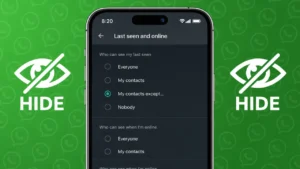
WhatsApp shows when you are online so contacts know you are active. While this can be useful, many users want more privacy and prefer to hide their online status from certain people without blocking them. The good news is that WhatsApp now allows you to control who can see your online activity.
This guide explains how to hide your WhatsApp online status from one person or selected contacts using official settings.
Also read: How to Lock WhatsApp Chats on iPhone for Better Privacy
What Does WhatsApp Online Status Mean
Your online status appears when you are actively using WhatsApp. It lets others know that you are currently available in the app. WhatsApp links online visibility with your last seen settings, which means controlling one also affects the other.
Can You Hide Online Status From One Person
Yes. WhatsApp allows you to hide your online status from specific contacts by adjusting privacy settings. This works on both Android and iPhone and does not require blocking or muting the contact.
Also read: How to Clear WhatsApp Call History Step by Step on Android and iPhone
How to Hide WhatsApp Online Status From One Person
Follow these steps carefully.
On Android and iPhone
- Open WhatsApp
- Tap Settings
- Go to Privacy
- Tap Last seen and online
Now you will see two options.
Set Last Seen Privacy
- Tap Last seen
- Select My contacts except
- Choose the contact or contacts you want to hide your status from
- Tap Done
Set Online Status Privacy
- Under Who can see when I am online
- Select Same as last seen
This ensures that only allowed contacts can see when you are online.
What Happens After You Hide Online Status
Once applied:
- Selected contacts will not see when you are online
- They also will not see your last seen time
- You will not be able to see their last seen either
This is how WhatsApp keeps privacy balanced.
Also read: How to Edit Videos Directly in WhatsApp on Android and iPhone
Hide Online Status From Multiple Contacts
If you want to hide your online status from several people:
- Use My contacts except
- Select all the contacts you want to exclude
This is useful if you want privacy from work contacts or unknown numbers.
Does This Affect Chats or Messages
No. Hiding online status does not affect:
- Message delivery
- Read receipts
- Voice or video calls
- Group chats
You can continue chatting normally without the other person knowing your activity status.
Also read: Understanding WhatsApp Call Status Messages and What They Actually Mean
Alternative Privacy Options You Can Use
If you want even more privacy, you can also:
- Turn off read receipts
- Hide profile photo from specific contacts
- Hide about info
- Mute chats instead of replying
These settings are available in the same Privacy section.
Why People Choose to Hide Online Status
Common reasons include:
- Avoiding pressure to reply instantly
- Maintaining personal boundaries
- Reducing unwanted conversations
- Keeping work and personal life separate
WhatsApp privacy tools are designed to give users control without affecting usability.
Also read: How To Silence WhatsApp Calls From Someone Without Blocking Them
Final Thoughts
Hiding your WhatsApp online status from specific contacts is simple and completely official. By using privacy settings wisely, you can stay connected while protecting your personal space. No blocking, no third-party apps, and no risk to your account.
If privacy matters to you, this small change can make a big difference.