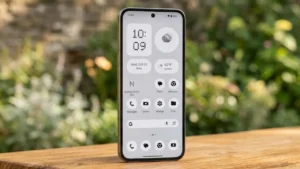
Nothing is getting ready for its next major software update, with Nothing OS 5.0 expected to arrive on August 25. The new version is set to bring a refreshed experience to compatible Nothing phones, along with improvements aimed at performance, customization and everyday usability.
Nothing OS has always stood out from other Android interfaces because of its minimalist design and distinctive visual elements. With the upcoming update, the company is expected to refine that experience further rather than completely changing its software approach.
Here’s what we know about Nothing OS 5.0 and what users can expect from the update.
Also read: How to Stop Your Phone From Overheating: Simple Fixes That Actually Work
When Will Nothing OS 5.0 Arrive?
Nothing OS 5.0 is expected to begin rolling out on August 25.
However, the update may not reach every supported phone immediately. Smartphone manufacturers commonly use staged rollouts for major software updates, allowing them to monitor performance and fix unexpected issues before making the update available to everyone.
As a result, two users with the same Nothing phone could receive the update at different times.
What Can You Expect From Nothing OS 5.0?
Nothing has not revealed every detail of the upcoming software version, but the new update is expected to focus on several areas.
A Refined Nothing OS Interface
The Nothing interface is already known for its clean appearance, monochrome elements and distinctive typography.
The next version could introduce subtle visual changes to system screens, menus, animations and widgets. Rather than making the interface dramatically different, Nothing is likely to focus on consistency and polish.
This approach could make the software feel newer while keeping the design language familiar to existing users.
Improved System Performance
Software updates aren’t only about visual changes.
Nothing OS 5.0 is also expected to include system-level optimizations that could improve how compatible phones handle everyday tasks.
Potential improvements include:
- Smoother animations
- Faster app launches
- Better multitasking
- Improved background management
- Greater system stability
These changes may be particularly noticeable on devices that have been running older software for some time.
Battery Optimization Could Improve
Battery performance is another area that users will likely pay attention to after installing Nothing OS 5.0.
Better management of background applications and system resources could help reduce unnecessary battery consumption.
However, battery life can vary considerably depending on the phone model, network conditions, screen brightness and individual usage habits.
More Customization Options
Nothing has gradually expanded the customization options available in its software, and the new update could continue that trend.
Users may see additional ways to personalize elements such as:
- Home-screen widgets
- Lock-screen appearance
- System colors
- Icons
- Quick settings
The exact options will depend on the device and final software release.
Which Nothing Phones Will Get the Update?
The complete list of compatible devices is expected to be announced as the rollout progresses.
Newer Nothing smartphones are the most likely candidates for the initial update, while older models could receive it later if they meet the company’s software-support requirements.
Availability may also vary by region.
Users should therefore rely on the official update notification or Nothing’s final compatibility announcement rather than assuming every Nothing phone will receive the update simultaneously.
How to Check for the Update
Once Nothing OS 5.0 becomes available for your device, you can manually check for it.
- Open Settings on your Nothing phone.
- Scroll down and select System.
- Tap System Update.
- Select the option to check for updates.
- Download and install Nothing OS 5.0 if it appears.
It’s better to download a major update over Wi-Fi and keep the phone sufficiently charged during installation.
Prepare Your Phone Before Updating
Before installing a major operating system update, taking a few precautions is worthwhile.
Back Up Your Important Files
Save important photos, videos, documents and other personal data before starting the installation.
Keep Enough Free Storage
A system update may require temporary storage during installation. Removing unused apps or large files can help if your phone is running low on space.
Charge the Battery
Make sure your phone has enough battery before starting the update. You can also keep it connected to a charger during the installation if recommended by the device.
Will Nothing OS 5.0 Change the Android Experience?
The update is expected to remain recognizable as Nothing OS.
Instead of replacing Android with a heavily customized interface, Nothing has generally focused on adding its own design elements and useful features while keeping the underlying experience relatively clean.
That means existing Nothing users should find the new version familiar while still noticing improvements after upgrading.
Should You Install It Immediately?
Once the stable version reaches your phone, installing the update should provide access to the latest features, improvements and security enhancements.
However, users who depend heavily on their phone for work may prefer to wait a short time after the initial rollout and see whether other users report any significant bugs.
Major software releases can occasionally have early issues that are corrected through subsequent patches.
Also read: How to Use AI Mode in Google Search to Get Better Results
Final Thoughts
Nothing OS 5.0 could be an important step for the company’s software ecosystem. The update is expected to arrive from August 25, bringing a combination of visual refinements, performance improvements, better resource management and additional customization.
The most important details, including the complete list of supported phones and the final feature set, should become clearer once Nothing begins the official rollout.
For Nothing users, the upcoming update is worth watching — especially if the company manages to improve everyday performance without losing the minimalist software experience that makes its phones different from other Android devices.