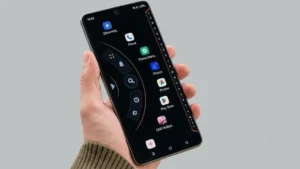
Your phone’s home screen is something you see countless times every day. After using the same icons, wallpaper, and layout for months, the standard Android interface can start to feel a little boring.
That’s where a custom launcher can make a difference. Alpha Hybrid Launcher 4D is designed for Android users who want to change the look and feel of their home screen with different themes, icons, layouts, and visual effects.
If you enjoy experimenting with your phone’s appearance, here’s what you should know about the launcher.
Also read: Gesture – Draw Simple Gestures to Perform Actions Quickly
What Is Alpha Hybrid Launcher 4D?
Alpha Hybrid Launcher 4D is an Android launcher that replaces or changes the way your phone’s default home screen looks and works.
Instead of sticking with the interface that comes with your smartphone, you can use the launcher to create a more personalized home screen. Depending on the version and device, its customization options may include themes, icons, fonts, colors, wallpapers, and visual effects.
The exact experience can differ depending on your phone, Android version, and the version of the launcher installed.
Main Features of Alpha Hybrid Launcher 4D
3D and 4D-Style Themes
The launcher’s biggest attraction is its visually focused theme options. These can make the home screen look more dynamic than the standard Android interface.
Depending on the theme, you may see animations, depth-style effects, and other graphical elements designed to give the interface a more distinctive appearance.
If you like changing your phone’s look frequently, these themes can give you plenty of room to experiment.
Customize the Home Screen
Alpha Hybrid Launcher 4D is not limited to changing the wallpaper. It can offer several ways to personalize the overall appearance of the home screen.
Available options may include:
- App icons
- Wallpapers
- Fonts
- Colors
- Home screen layouts
- Visual effects
This makes the launcher useful for people who want their phone to look different from the default Android setup.
A Different Way to Navigate
Installing a launcher can change more than just the appearance of your phone. It can also affect how you arrange and access your apps.
Alpha Hybrid Launcher 4D provides an alternative home screen experience, allowing you to organize the interface according to your preferences.
However, the smoothness of animations and effects can depend on your phone’s hardware and available system resources.
Double-Tap to Lock
Another useful option may be the double-tap to lock feature.
When supported and enabled, you can lock the screen by tapping the home screen twice instead of reaching for the physical power button. It’s a small addition, but it can be convenient if you frequently lock your phone throughout the day.
Different Visual Effects
For users who enjoy experimenting with customization, having multiple visual options can make the launcher more interesting.
You can try different designs and effects until you find a combination that suits your style. Some options, however, may depend on the version of the app or could require an in-app purchase.
How to Set Up Alpha Hybrid Launcher 4D
Getting started with a third-party launcher is generally simple.
- Install Alpha Hybrid Launcher 4D from a trusted source if it is available for your device.
- Open the app and complete its initial setup.
- Review the permissions it requests and allow only those you are comfortable with.
- Choose a theme or home screen design.
- Customize the available icons, wallpaper, fonts, colors, and effects.
- Set it as your default home app if you want to use it as your regular launcher.
Before installing any third-party app, it is also worth checking the developer information, recent reviews, permissions, and privacy details.
Things to Keep in Mind
A highly customized home screen can look great, but there are a few practical things to consider.
Some advanced themes or customization features may be paid. In addition, animated effects and graphics-heavy themes can use more system resources on some phones.
If you are using an older or less powerful device, you may notice slower animations or increased battery usage. If that happens, try reducing visual effects or switching back to a simpler theme.
You can also return to your phone’s original launcher whenever you want, depending on your device’s launcher settings.
Is Alpha Hybrid Launcher 4D Worth Trying?
If you enjoy changing the appearance of your Android phone, Alpha Hybrid Launcher 4D can be an interesting launcher to explore.
Its main appeal is the ability to move away from the standard Android home screen and experiment with themes, icons, layouts, and visual effects. Rather than completely changing your phone, a launcher gives you a relatively simple way to refresh the interface.
That said, the experience won’t necessarily be identical on every smartphone. Features, performance, and available customization options can vary depending on the device and app version.
For a safer experience, always use a trusted download source, check the permissions before installing, and read recent user feedback.
Try Alpha Hybrid Launcher 4D
If you want to try the launcher yourself, you can find Alpha Hybrid Launcher 4D on Google Play. The listing currently shows that the app contains ads and offers in-app purchases.
Download Alpha Hybrid Launcher 4D on Google Play
Final Thoughts
Alpha Hybrid Launcher 4D gives Android users another way to personalize the part of their phone they interact with most: the home screen.
With different themes, customization options, icons, and visual effects, it can be a fun choice if you’re tired of looking at the same Android interface every day.
If you prefer a clean and simple setup, your phone’s default launcher may still be the better option. But if customization is your priority, trying a different launcher can be an easy way to give your smartphone a fresh look without changing the device itself.
Also read: How to Make Your Android Phone Look Like a Windows 11 PC