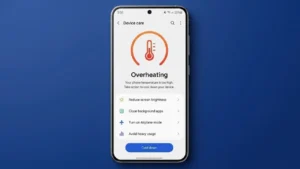
Is your phone becoming unusually hot while charging, gaming, scrolling through social media, or even during normal use?
An overheated smartphone is more than just an inconvenience. Excessive heat can affect battery performance, slow down your device, damage internal components, and shorten your phone’s lifespan.
The good news is that most overheating problems can be fixed without visiting a repair center.
Here’s how to cool down your phone and prevent overheating before it becomes a serious issue.
Also read: How to Find Out Which Apps Are Using Your Phone’s Battery the Most
Why Does a Phone Overheat?
Smartphones generate heat while performing tasks. However, when the temperature rises beyond normal levels, there is usually an underlying reason.
Some common causes include:
- Heavy gaming
- Fast charging
- Running multiple apps at the same time
- High screen brightness
- Poor mobile network signals
- Software bugs
- Outdated apps
- Direct exposure to sunlight
Identifying the cause will help you find the right solution.
Give Your Phone a Break
Many people continue using their phones for hours without realizing how much pressure they’re putting on the processor.
If your device feels hot:
- Lock the screen.
- Stop using demanding apps.
- Let the phone rest for a few minutes.
Sometimes, simply giving the device time to cool down can solve the problem.
Close Resource-Heavy Apps
Certain apps consume a large amount of processing power.
These include:
- Mobile games
- Video streaming apps
- Video editing applications
- Social media platforms
Close any app you’re not actively using.
If you notice that a particular app always causes overheating, consider updating or reinstalling it.
Avoid Charging and Gaming at the Same Time
Charging already generates heat.
Adding gaming, video streaming, or video calls while charging can increase the phone’s temperature significantly.
To reduce overheating:
- Charge the phone first.
- Use it after charging is complete.
This simple habit can make a noticeable difference.
Turn Down the Screen Brightness
Your display is one of the biggest power consumers in your smartphone.
Keeping the brightness at maximum levels for long periods can increase heat generation.
Try these adjustments:
- Enable automatic brightness.
- Reduce screen brightness manually.
- Turn on dark mode.
Lower brightness not only reduces heat but also improves battery life.
Check Your Battery Usage
Sometimes, overheating is caused by a single app running continuously in the background.
You can check battery usage through your phone’s settings.
On Android:
- Open Settings.
- Tap Battery.
- Select Battery usage.
On iPhone:
- Open Settings.
- Tap Battery.
- Review battery activity.
If one app is consuming an unusually large amount of power, it may also be causing the device to overheat.
Keep Your Software Updated
Software updates often contain:
- Bug fixes
- Security improvements
- Performance enhancements
- Better battery optimization
Running outdated software can sometimes lead to overheating issues.
Check for updates regularly.
On Android:
Settings > System > Software Update
On iPhone:
Settings > General > Software Update
Remove the Protective Case Temporarily
Phone cases are designed to protect devices from damage, but some thick cases can trap heat.
If your phone becomes hot while charging:
- Remove the case.
- Place the device on a flat surface.
- Allow air to circulate around it.
Avoid putting your phone under blankets, pillows, or cushions while charging.
Stay Away From Direct Sunlight
Environmental heat can quickly increase your phone’s temperature.
Avoid leaving your phone:
- Inside a parked vehicle
- Near windows
- On dashboards
- Under direct sunlight
Modern smartphones include built-in temperature protection, but prolonged exposure to heat can still damage the battery.
Restart Your Device
A restart can stop background processes that may be causing overheating.
Restarting your phone can:
- Refresh the operating system
- Clear temporary files
- Close hidden processes
- Improve overall performance
If you haven’t restarted your phone in several days, try doing it now.
Warning Signs You Shouldn’t Ignore
Seek professional help if your phone:
- Shuts down unexpectedly
- Gets extremely hot during normal use
- Shows a battery warning
- Has a swollen battery
- Continues overheating after trying these solutions
These symptoms could indicate a hardware problem.
Also read: How to Check Which Apps Are Accessing Your Camera on Android
Final Thoughts
Overheating doesn’t always mean your smartphone is damaged.
In many cases, simple changes like closing background apps, lowering screen brightness, updating software, and avoiding heavy use while charging can solve the problem.
The key is to act early. Ignoring repeated overheating can eventually affect your battery, performance, and the overall health of your device.