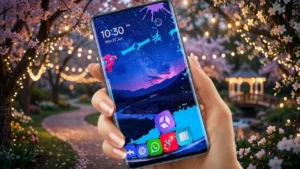
Android users love having the freedom to personalize their smartphones, and one of the easiest ways to completely change the look and feel of a device is by using a launcher app. If you’re looking for a launcher that combines attractive themes, customization options, and useful features, GO Launcher S is worth checking out.
The app allows users to redesign their home screen with stylish themes, HD wallpapers, custom icons, and various personalization tools, all without requiring any technical knowledge.
Also read: How to Make Your Android Phone Look Like a Windows PC With a Computer Launcher
What Is GO Launcher S?
GO Launcher S is a popular Android launcher that replaces the default home screen interface with a more customizable and visually appealing experience. It gives users greater control over how their device looks while also offering features that help improve organization and navigation.
Whether you prefer a clean minimalist setup or a colorful animated design, GO Launcher S provides multiple ways to customize your smartphone.
Key Features of GO Launcher S
Stylish 3D Themes
One of the biggest attractions of GO Launcher S is its collection of modern 3D themes. These themes can dramatically change the appearance of your phone and create a fresh user experience.
Some highlights include:
- Animated visual effects
- Creative icon packs
- Modern and futuristic designs
- Personalized home screen layouts
Users can switch themes whenever they want without making permanent changes to the device.
Large Collection of HD Wallpapers
The launcher offers access to a wide variety of wallpapers that can instantly refresh your home screen.
Popular categories include:
- Nature wallpapers
- Minimal designs
- Abstract artwork
- Dark-themed backgrounds
- Creative visual styles
New wallpapers are added regularly, providing plenty of options for customization.
Smooth and Lightweight Performance
Many launcher apps can slow down older devices, but GO Launcher S is designed to remain responsive while offering advanced customization features.
Benefits include:
- Fast navigation
- Smooth transitions
- Efficient resource management
- User-friendly interface
This makes it suitable for both newer and older Android smartphones.
Privacy Features
GO Launcher S also includes tools designed to help users manage privacy more effectively.
Depending on the version, features may include:
- App lock support
- Hidden app options
- Additional privacy settings
Users should review permissions and settings before enabling privacy-related features.
Flexible Home Screen Customization
Customization is one of the strongest aspects of GO Launcher S.
Users can:
- Change icon styles
- Resize icons
- Adjust layouts
- Customize transition animations
- Organize apps and folders
These options allow users to create a home screen that matches their personal preferences.
Smart Productivity Tools
Beyond appearance, GO Launcher S includes useful features that improve daily usability.
Examples include:
- Quick search tools
- App management options
- Gesture shortcuts
- Better app organization
These tools can help users access apps and settings more efficiently.
Why Users Like GO Launcher S
GO Launcher S remains popular because it offers a balance between appearance and functionality.
Some reasons users choose it include:
- Easy setup process
- Beginner-friendly interface
- Free core features
- Attractive themes and wallpapers
- Regular updates and improvements
It provides an easy way to give an Android phone a completely new look without modifying the operating system.
How to Get Started
Setting up GO Launcher S takes only a few minutes:
Step 1: Install the App
Download GO Launcher S from the Google Play Store.
Step 2: Open the Launcher
Launch the app and follow the setup instructions.
Step 3: Set It as Default
Choose GO Launcher S as your default launcher if you want to use it permanently.
Step 4: Customize Your Device
Browse themes, wallpapers, icon packs, and settings to create your preferred layout.
Who Should Try GO Launcher S?
This launcher may be ideal for:
- Android users who enjoy customization
- People looking for a fresh home screen design
- Users who like themes and wallpapers
- Those wanting additional personalization options
- Anyone interested in trying a new Android interface
Tips for Better Performance
To keep the launcher running smoothly:
- Use lightweight themes on older devices
- Disable animations you don’t use
- Keep the launcher updated
- Clear unnecessary cache files periodically
Download GO Launcher S
You can download GO Launcher S directly from the Google Play Store using the link below:
Google Play Store:
https://play.google.com/store/apps/details?id=com.gau.go.launcherex.s
Alternative Option:
Search for “GO Launcher S” directly in the Google Play Store if the link is unavailable.
Final Thoughts
GO Launcher S is a feature-rich Android launcher that makes it easy to personalize your smartphone. With stylish themes, HD wallpapers, flexible customization options, and useful productivity features, it offers a simple way to give your device a fresh new appearance.
If you’re bored with the default Android interface and want more control over your home screen design, GO Launcher S can be a fun and practical option to explore.