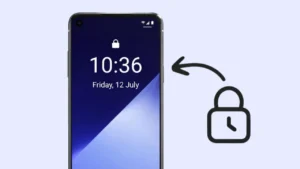
Keeping a smartphone secure is more important than ever. Most users rely on fixed PINs, patterns, or fingerprints, but these methods can sometimes be predictable or easily observed. This is where time-based screen lock apps introduce a different approach by using the current time as the lock password.
In this article, we explain how time-based screen lock works, what features such apps usually offer, and how users can safely use them on Android devices.
Also read: How to Set Voice Lock on Android and iOS Devices: A Step by Step Guide
What Is a Time Password Screen Lock
A time password screen lock is a security method where your phone’s lock password changes automatically according to the current system time. Instead of a fixed PIN, the lock screen uses time values such as hours and minutes.
For example:
- If the time is 10:25, the password becomes 1025
- If the time changes, the password also changes
This dynamic system makes it difficult for others to guess or reuse your unlock code.
How Time-Based Screen Lock Improves Security
Traditional locks remain the same until manually changed. A time-based lock removes this limitation by updating the password automatically every minute.
Key advantages include:
- No permanent PIN to remember or expose
- Reduced risk of shoulder surfing
- Extra protection in shared or public environments
Since the password depends on the device’s internal clock, it stays predictable only to the user.
Common Features Available in Time Password Lock Apps
Many Android apps that offer time-based locking also include additional privacy tools. These features are designed to enhance overall device security without modifying the system or requiring root access.
1. Dynamic Time Password Lock
The lock screen password changes automatically based on:
- Current time
- Minutes only
- Time combined with a custom PIN
- Date-based combinations
2. Photo and Video Vault
Some apps allow users to store private images and videos inside a protected vault that requires authentication to open.
3. Private Browser Mode
A built-in private browser helps users browse the internet without saving history, cookies, or search data inside the app.
4. Lock Screen Customization
Users can usually personalize the lock screen with:
- Wallpapers
- Clock formats (12-hour or 24-hour)
- Custom text
- Unlock sound or vibration
5. Lightweight Performance
Most time password apps are optimized to use minimal battery and memory, making them suitable for daily use.
Also read: How to Set Transparent Wallpaper on Android and iOS: A Step by Step Guide
How to Use a Time Password Lock App on Android
The general setup process is simple and user-friendly.
Step 1: Install the App
Download the app from the Google Play Store and open it.
Step 2: Grant Required Permissions
Permissions may include:
- Display over lock screen
- Storage access for wallpapers
- Phone state for handling calls
Always review permissions carefully before allowing access.
Step 3: Choose Lock Type
Select one of the available lock modes:
- Current time as password
- Fixed PIN plus time
- Date-based password
Step 4: Customize Lock Screen
Adjust wallpaper, text, vibration, and visual effects based on your preference.
Step 5: Enable Lock
Activate the lock and test it once to ensure it works correctly.
Permissions Explained Clearly
Time password lock apps may request permissions for functional reasons:
- Storage access: To load wallpapers or save vault files
- Phone access: To ensure proper lock behavior during calls
- Internet access: For updates and ad support
No sensitive permissions should be granted unless required for core functionality.
Pros and Cons of Time Password Screen Lock
Pros
- Password changes automatically
- Harder to guess compared to static PINs
- Adds an extra privacy layer
- Customizable and easy to use
Cons
- Requires remembering the current time
- Ads may appear in free versions
- Some permissions may concern privacy-focused users
Important Things to Keep in Mind
- Always keep device time accurate
- Avoid installing apps from unknown sources
- Use trusted lock apps with clear permission policies
- Test the lock after setup to avoid accidental lockouts
Optional App to Explore
Some users prefer using a dedicated app that offers time-based locking with customization options.
Optional app link:
https://play.google.com/store/apps/details?id=com.adriadevs.screenlock.ios.keypad.timepassword
This type of app typically focuses on:
- Time-based PIN generation
- Multiple lock combinations
- Visual customization
- Android compatibility without system modification
Downloading such apps is optional and depends on user preference.
Also read: How to Set Custom Charging Animation on Android: Easy Step by Step Guide
Final Thoughts
Time-based screen lock apps offer a creative way to improve Android security by turning the current time into a dynamic password. Along with additional features like vaults and customization, these apps provide both protection and personalization.
When used responsibly and downloaded from official sources, time password lock apps can be a useful option for users who want more control over their phone security without relying on traditional static locks.