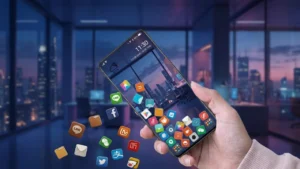
Customizing your Android phone is one of the easiest ways to give it a fresh and unique look. While wallpapers, icon packs, and themes are popular choices, some apps offer a completely different experience. If you’re looking for something playful and eye-catching, Rolling Icons – App and Photo is worth checking out.
Instead of displaying static app icons, this Android launcher makes your app icons, personal photos, and even emojis roll around the screen whenever you move your phone. It creates a fun animation effect that makes your home screen feel more interactive and dynamic.
In this guide, we’ll explore what the app offers, its main features, how to set it up, and whether it’s worth installing.
Also read: Refresh Your Android Volume Controls With NoVolume: A Minimalist Alternative to the Default Slider
What Is Rolling Icons – App and Photo?
Rolling Icons – App and Photo is an Android launcher that replaces your regular home screen with a unique rolling animation. Once activated, the icons on your screen respond to your phone’s motion using the device’s sensors.
Whenever you tilt, shake, or rotate your phone, the selected app icons roll naturally across the screen, creating a lively and entertaining effect.
The app isn’t limited to application icons—it also lets you add your own photos and emojis, allowing you to personalize your home screen even further.
Key Features of Rolling Icons – App and Photo
Rolling App Icons
The standout feature of the app is its animated app icons. Instead of staying fixed in one place, the icons move around the screen as you tilt your phone.
This creates a fun launcher experience that feels very different from traditional Android home screens.
Add Your Own Photos
One of the most interesting features is the ability to roll your own pictures.
You can choose:
- Personal photos
- Family pictures
- Friends’ photos
- Favorite images from your gallery
These photos behave just like the app icons, rolling across the display whenever you move your phone.
Rolling Emoji Collection
If you prefer a more colorful home screen, the app also supports emoji icons.
Choose from a variety of built-in emojis and watch them bounce and roll around your screen alongside your apps.
This makes your launcher look playful and unique.
Motion-Based Animation
The launcher uses your phone’s motion sensors to create realistic rolling animations.
As you:
- Tilt your phone
- Rotate it
- Move it from side to side
the icons respond naturally, making the home screen feel interactive.
Easy Launcher Setup
Unlike many Android launchers that require complicated customization, Rolling Icons is simple to configure.
Most users can set everything up within a few minutes.
Why People Like This App
Many Android users enjoy changing the appearance of their devices regularly. Rolling Icons offers something different from standard launchers by making the home screen interactive rather than simply changing its design.
It’s especially popular among users who:
- Love Android customization
- Want a unique launcher
- Enjoy fun animations
- Like experimenting with home screen layouts
- Want something that stands out
How to Set Up Rolling Icons – App and Photo
Getting started is quick and easy.
Step 1
Download Rolling Icons – App and Photo from the Google Play Store.
Step 2
Open the app and accept the required permissions.
Tap Agree or Go Ahead to continue.
Step 3
Select App Icons.
Choose the applications you want to display as rolling icons.
Step 4
If you’d like to use personal pictures, open the Photo section.
- Tap the + button.
- Select your favorite image.
- Confirm your selection.
Step 5
You can also choose the Emoji option to add animated emoji icons to your home screen.
Simply select the emojis you like.
Step 6
Finally, tap Start to activate the launcher.
Once enabled, move or tilt your phone and watch your app icons, photos, and emojis roll naturally across the screen.
Performance and User Experience
Despite its animated effects, the app is designed to run smoothly on most Android devices.
Performance generally depends on:
- Device hardware
- Available RAM
- Number of icons displayed
- Motion sensitivity settings
Modern smartphones should have no trouble running the launcher smoothly.
Who Should Use This App?
Rolling Icons – App and Photo is ideal for:
- Android customization enthusiasts
- Students
- Kids and teenagers
- Users who enjoy creative launchers
- People looking for a fresh home screen experience
- Anyone who wants their phone to look different
If you enjoy experimenting with your Android interface, this launcher can add a fun twist to your everyday phone usage.
Advantages
- Unique rolling app icon animation
- Supports personal photos
- Emoji icon customization
- Interactive motion effects
- Beginner-friendly interface
- Easy setup process
- Lightweight launcher
Limitations
Like any launcher app, there are a few things to keep in mind:
- Motion effects may use slightly more battery than a standard launcher.
- Older Android devices may not deliver the smoothest animations.
- Some launcher features may vary depending on your Android version.
Download Rolling Icons – App and Photo
If you’d like to try this fun Android launcher, you can download it directly from the Google Play Store.
App Name: Rolling Icons – App and Photo
Download Link:
https://play.google.com/store/apps/details?id=com.mandg.funny.rollingicon
Final Thoughts
If you’re bored with the traditional Android home screen and want something more entertaining, Rolling Icons – App and Photo offers a refreshing alternative. With rolling app icons, animated emojis, and the ability to use your own photos, it transforms your device into a fun and interactive experience.
While it may not be a productivity-focused launcher, it’s perfect for users who enjoy customization and want their phone to stand out from the crowd. If you’re looking to give your Android device a playful new look, this app is definitely worth trying.