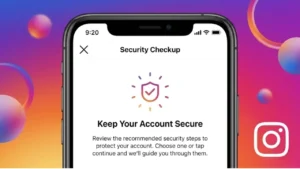
Instagram has become an important part of everyday life for millions of people. From sharing photos and videos to messaging friends and promoting businesses, the platform stores a significant amount of personal information. While Instagram offers many useful features, it is also important to understand how to protect your privacy and keep your account secure.
Many users focus on gaining followers and creating content but often overlook basic security settings. As cyber threats, phishing scams, and account takeover attempts continue to rise, taking control of your Instagram privacy has become more important than ever.
Also read: How to Secure Your Instagram Account From Hackers – A Complete Guide
Why Instagram Privacy Matters
Every Instagram account contains valuable information that could be targeted by hackers or scammers. This may include:
- Personal photos and videos
- Direct messages
- Contact information
- Location data
- Business information
- Linked accounts
If an account falls into the wrong hands, it can lead to privacy issues, impersonation, or even financial losses for business users.
Switch to a Private Account
One of the easiest ways to improve privacy is by making your account private.
When your account is private:
- Only approved followers can see your posts
- New followers must be manually approved
- Your content becomes less visible to strangers
This is especially useful for personal accounts that do not need public visibility.
Strengthen Your Password
A weak password is one of the most common reasons Instagram accounts get compromised.
A strong password should:
- Be at least 12 characters long
- Include letters, numbers, and symbols
- Avoid personal information such as birthdays or names
- Be unique to Instagram
Using the same password across multiple websites increases security risks significantly.
Turn On Two-Factor Authentication
Two-factor authentication (2FA) adds an extra security layer to your account.
Even if someone obtains your password, they will still need a verification code to log in.
Benefits of 2FA include:
- Better protection against hacking attempts
- Reduced risk of account takeovers
- Improved login security
Authentication apps generally offer stronger protection than SMS-based verification.
Be Careful With Unknown Followers
Not every follower request comes from a genuine user.
Fake accounts are often created to:
- Gather personal information
- Send spam messages
- Promote scams
- Impersonate other users
Before accepting requests, take a moment to review the profile and check whether it appears legitimate.
Avoid Sharing Sensitive Information
Many users unknowingly reveal too much information through posts, Stories, and profile details.
Avoid publicly sharing:
- Home addresses
- Phone numbers
- Travel plans in real time
- Financial information
- Private family details
The less personal information available publicly, the lower the risk of misuse.
Review App Permissions Regularly
Third-party apps often request access to Instagram accounts.
While some tools are legitimate, others may pose security risks.
Regularly review connected apps and remove access for services you no longer use.
This helps reduce the chances of unauthorized account activity.
Watch Out for Phishing Scams
Phishing remains one of the biggest threats to Instagram users.
Common scam tactics include:
- Fake account verification messages
- Copyright infringement warnings
- Password reset requests
- Messages pretending to be Instagram support
Always verify messages carefully and avoid clicking suspicious links.
Instagram will never ask for your password through direct messages.
Manage Story Privacy Settings
Instagram provides several controls that allow users to decide who can view and interact with Stories.
You can:
- Hide Stories from specific people
- Limit who can reply
- Restrict message responses
- Create Close Friends lists
These settings offer more control over who sees your content.
Monitor Login Activity
Instagram allows users to check where their account is currently logged in.
Review login activity regularly to identify:
- Unknown devices
- Unfamiliar locations
- Suspicious login attempts
If something looks unusual, log out of those sessions immediately and change your password.
Secure Your Linked Email Account
Your email account plays a major role in Instagram security.
If someone gains access to your email, they may be able to:
- Reset your Instagram password
- Access recovery codes
- Take control of your account
Protecting your email account is just as important as protecting Instagram itself.
Think Before You Post
Privacy is not only about account settings. It is also about what you choose to share.
Before posting content, ask yourself:
- Does this reveal personal information?
- Am I sharing my exact location?
- Could this information be misused later?
Developing this habit can prevent privacy issues before they occur.
What to Do If You Suspect Your Account Is Compromised
If you notice unusual activity:
- Change your password immediately.
- Enable two-factor authentication.
- Review login sessions.
- Remove suspicious third-party app access.
- Contact Instagram through official recovery channels.
Quick action often prevents further damage.
Common Instagram Privacy Mistakes
Many users unknowingly weaken their account security by:
- Using weak passwords
- Sharing login credentials
- Accepting unknown followers
- Ignoring security notifications
- Using untrusted automation tools
Avoiding these mistakes can significantly improve account safety.
Also read: How to Update Your Instagram Password Using Mobile or PC
Final Thoughts
Protecting your privacy on Instagram does not require advanced technical knowledge. Most security improvements can be implemented in just a few minutes through account settings and better online habits.
Features like two-factor authentication, private profiles, strong passwords, and careful content sharing can dramatically reduce the risk of hacking, scams, and unauthorized access. As social media becomes a bigger part of daily life, taking privacy seriously is one of the smartest steps any Instagram user can take.