With 5G networks expanding across India, many users wonder whether they can convert their existing 4G phone into a 5G device. While there are countless videos and apps claiming to “unlock” 5G on any smartphone, the reality is quite different.
In this guide, we’ll explain the official ways to enable 5G on Android phones, what is actually possible, and what isn’t.
Also read: How to Improve Internet Speed on Android Using Built in Tools Only
Can You Convert a 4G Phone Into a 5G Phone?
The short answer is no.
If your smartphone was built with only 4G hardware, there is no official setting, app, or software update that can magically turn it into a 5G phone. A device must have a dedicated 5G modem and compatible hardware to connect to 5G networks.
However, if your phone already supports 5G but is currently using 4G, you may simply need to enable the correct network settings.
Method 1: Check Whether Your Phone Supports 5G
Before changing any settings, verify that your smartphone is 5G compatible.
You can check by:
- Visiting your phone manufacturer’s official website
- Searching your exact model number online
- Looking under Settings → About Phone
- Checking the original product specifications
If your phone only supports LTE or 4G, no software method can upgrade it to 5G.
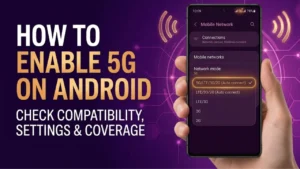
Method 2: Enable 5G in Network Settings
If your phone supports 5G, follow these steps:
- Open Settings.
- Tap Network & Internet or Mobile Network.
- Select your active SIM card.
- Open Preferred Network Type.
- Choose 5G/4G/3G/2G (Auto) or 5G Preferred, depending on your device.
The exact menu may vary slightly between brands.
Method 3: Update Your Phone
Some manufacturers enabled 5G through software updates after launch.
To check for updates:
Settings → System → Software Update
Install the latest available update before checking your network settings again.
Method 4: Confirm Your SIM Supports 5G
Most recently issued SIM cards already support 5G. However, if you’re using an older SIM, check with your mobile operator to ensure it is 5G compatible.
In many cases, no SIM replacement is required.
Method 5: Make Sure You’re in a 5G Coverage Area
Even if your phone supports 5G, it will only connect where your carrier provides 5G coverage.
Check your operator’s official coverage map to confirm that 5G service is available in your location.
Avoid Apps That Claim to Convert 4G Into 5G
Many apps and videos claim they can unlock hidden 5G features or convert a 4G phone into a 5G device.
These claims are misleading.
No app can:
- Install a 5G modem
- Upgrade 4G hardware
- Add missing 5G antennas
- Unlock unsupported network bands
Such apps usually only change display settings or show advertisements without improving network capabilities.
Why Some Phones Don’t Show the 5G Option
If your device supports 5G but the option is missing, possible reasons include:
- Outdated software
- Carrier settings not updated
- 5G not yet enabled by the manufacturer
- Region-specific software restrictions
- No 5G coverage in your area
Updating your phone often resolves this issue.
Frequently Asked Questions
Can software convert a 4G phone into a 5G phone?
No. A phone must include dedicated 5G hardware to connect to 5G networks.
Can I enable hidden 5G settings?
If your phone already supports 5G, official software updates or network settings may enable it. If the hardware doesn’t support 5G, hidden settings won’t help.
Does changing APN settings enable 5G?
No. APN settings control mobile data configuration but cannot add 5G support to unsupported devices.
Can root access unlock 5G?
Rooting cannot add missing 5G hardware. It may change software settings, but it cannot convert a 4G-only smartphone into a 5G device.
Final Thoughts
If your Android phone already supports 5G, enabling it is usually as simple as updating your software and selecting the correct network mode. However, if your device was designed as a 4G-only smartphone, there is currently no official or safe method to convert it into a true 5G phone.
Always rely on your phone manufacturer’s settings and your mobile carrier’s official guidance instead of third-party apps or misleading online tricks.