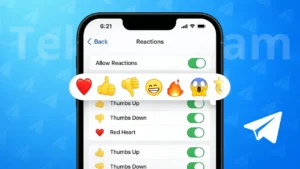
Telegram offers message reactions as a simple way to respond without sending a new message. Instead of typing “okay”, “nice”, or “agreed”, you can react with an emoji directly on the message. This keeps chats cleaner and helps conversations move faster, especially in groups and channels.
If you have seen emojis appearing under messages and wondered how to use them, this guide explains everything clearly.
Also read: How to Create a Telegram Channel – Complete Beginner Guide
Understanding Telegram Message Reactions
Message reactions are small emoji responses that appear below a message. They let users express emotions or opinions instantly. Reactions are visible to everyone in the chat, and multiple people can react to the same message.
Telegram supports reactions in:
- Private chats
- Group chats
- Channels
The available emojis depend on chat settings and whether custom reactions are enabled.
How to Add a Reaction to a Telegram Message
On Android and iPhone
- Open Telegram on your phone
- Go to the chat where the message is located
- Press and hold the message
- A reaction bar will appear
- Tap on the emoji you want
Your reaction will show immediately under the message.
On Desktop or Web
- Open Telegram Desktop or Telegram Web
- Move your cursor over a message
- Click the reaction option
- Choose an emoji
The reaction is added instantly without sending a reply.
Changing or Removing a Reaction
Telegram allows you to control your reactions easily.
- To change a reaction, select a different emoji
- To remove it, tap or click the same emoji again
This works the same across mobile and desktop versions.
Also read: How to Edit Videos Directly in WhatsApp on Android and iPhone
Custom Emoji Reactions in Telegram
Some chats allow more than standard emojis. In certain channels or premium-supported chats, you may see animated or custom emojis.
These reactions are controlled by:
- Channel owners
- Group admins
- Chat settings
If custom reactions are disabled, only basic emojis will be available.
Managing Reactions in Groups and Channels
Admins can decide how reactions behave in their chats. They can:
- Turn reactions on or off
- Allow only selected emojis
- Limit the number of reactions per message
This helps reduce clutter in large communities.
Why Telegram Reactions Are Helpful
Using reactions has several advantages:
- Faster communication
- Less spam in group chats
- Clear feedback in channels
- Easy participation without typing
They are especially useful when many people want to respond to the same message.
Why Reactions May Not Appear
If you do not see reaction options:
- Update your Telegram app
- Check if the chat allows reactions
- Some older chats may have reactions disabled
Most issues are fixed after updating the app.
Also read: How to Secure Your Telegram Account From Hackers – A Complete Guide
Final Thoughts
Message reactions in Telegram make conversations more efficient and organized. Whether you are chatting with friends or following a large channel, reactions let you respond quickly without interrupting the discussion.
Once you start using them, they become one of the most convenient tools inside Telegram.