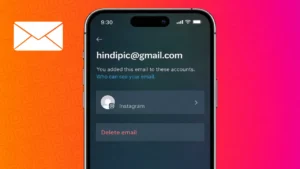
Many Instagram users forget which email address they used while creating their account. This usually happens when the account is old or was set up using a temporary or secondary email. Knowing your linked email is important because Instagram uses it for account security, password recovery, and important notifications.
This guide explains all the official ways to find the email connected to your Instagram account without using any third-party tools.
Also read: How to Add Pronouns to Your Instagram Profile
Why Instagram Stores Your Email Address
Instagram requires an email address to keep your account secure. It is mainly used for:
- Sending login alerts
- Resetting passwords
- Verifying account ownership
- Protecting your account from unauthorized access
If you lose access to this email, recovering your account can become difficult.
Check Your Instagram Email Using App Settings
This is the most reliable method.
Steps for Android and iPhone
- Open the Instagram app
- Tap your profile icon
- Open the menu from the top corner
- Select Settings and privacy
- Open Accounts Center
- Tap Personal details
- Choose Contact information
Your registered email address will be displayed here.
Also read: How to Manage Drafts on Instagram the Right Way
View Email From the Profile Editing Option
In some cases, Instagram also shows your email directly inside profile settings.
- Go to your profile
- Tap Edit profile
- Scroll to the Email address section
If privacy protection is enabled, the email may appear partially hidden.
Use the Login Recovery Method to Identify Your Email
If you cannot access your account settings, this method still helps.
- Open Instagram login screen
- Tap Forgot password
- Enter your username
- Instagram will display a masked email address
This helps you recognize which email account you used earlier.
Also read: How to Disconnect Synced Contacts From Instagram
What to Do If the Email Is No Longer Accessible
If the email belongs to an old or inactive account, you should update it as soon as possible.
How to Change Your Email on Instagram
- Open Settings and privacy
- Go to Accounts Center
- Tap Personal details
- Open Contact information
- Add a new email address
- Confirm it using the verification code
Once updated, Instagram will use the new email for all future communication.
Will Changing Email Affect Followers or Messages
No. Changing your email does not affect:
- Followers
- Messages
- Posts
- Stories
It only updates your contact and recovery information.
Also read: Instagram Post Archive Explained: How It Works and When You Should Use It
Helpful Tips to Avoid Email Confusion
- Use one primary email for social media
- Avoid temporary email services
- Keep two-step verification enabled
- Update email whenever you change devices
These habits reduce future account problems.
Final Thoughts
Finding the email linked to your Instagram account is easy when you use the official settings provided by the app. Whether you check it through profile settings or identify it using password recovery, Instagram gives you complete control over your account information. Always keep an active email connected to stay protected.
Also read: How to Add Tags to an Instagram Story After It Is Already Posted