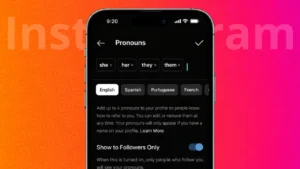
Instagram offers a built-in pronouns feature that lets users display how they want to be addressed directly on their profile. This option helps make profiles more clear and personal, and it can be updated or removed at any time. If you want to know how to add pronouns on Instagram, this guide explains the process step by step.
Also read: How to Manage Drafts on Instagram the Right Way
What Is the Pronouns Feature on Instagram
The pronouns feature allows you to select pronouns from a predefined list and show them on your profile. These pronouns appear next to your name and username and are optional. Instagram introduced this feature to give users more control over how they represent themselves on the platform.
You are not required to add pronouns, and choosing not to use this feature does not affect your account in any way.
Who Can Use Pronouns on Instagram
Most Instagram accounts can access the pronouns option, but availability may depend on your region and app version. The feature is available on both Android and iPhone devices. If you do not see it, updating the app usually fixes the issue.
Also read: How to Disconnect Synced Contacts From Instagram
How to Add Pronouns on Instagram Profile
Follow these steps to add pronouns using the Instagram app:
- Open the Instagram app on your phone
- Go to your profile page
- Tap Edit profile
- Look for the Pronouns option
- Tap it and choose up to four pronouns from the list
- Select who can see your pronouns
- Tap Done to save changes
Your selected pronouns will now appear on your profile.
How to Change or Remove Pronouns on Instagram
If you want to update or remove pronouns later, you can do so easily:
- Open your Instagram profile
- Tap Edit profile
- Select Pronouns
- Change your selection or clear all pronouns
- Save your changes
Removing pronouns will instantly hide them from your profile.
Also read: Instagram Post Archive Explained: How It Works and When You Should Use It
Who Can See Your Pronouns
Instagram lets you control visibility. You can choose to show pronouns to:
- Everyone
- Only people who follow you
This setting can be changed at any time from the pronouns menu.
Why Some Users Choose to Add Pronouns
People add pronouns for different reasons, such as:
- Clear communication
- Personal expression
- Reducing confusion in conversations
- Creating a more inclusive profile
Using pronouns is completely optional and based on personal preference.
Also read: How to Add Tags to an Instagram Story After It Is Already Posted
What to Do If You Cannot Find the Pronouns Option
If the pronouns setting does not appear:
- Update Instagram from the App Store or Play Store
- Log out and log back into your account
- Check if the feature is available in your region
In most cases, updating the app solves the issue.
Final Thoughts
Adding pronouns to your Instagram profile is simple and fully optional. The feature gives users more control over how they present themselves and how others address them. Since pronouns can be changed or removed at any time, you can update your profile whenever you feel comfortable.
Also read: How To Remove Sent Messages On Instagram Before Others See Them