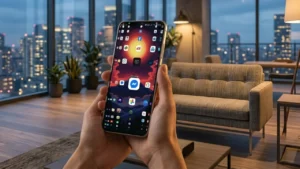
If you have dozens—or even hundreds—of apps installed on your Android phone, you’ve probably spent more time than you’d like searching for the right one. Scrolling through multiple home screens, opening folders, or using the search bar can slow you down, especially when you’re in a hurry.
That’s where Lens Launcher offers a refreshing alternative. Instead of organizing apps across several pages, it places every installed app on a single interactive screen, allowing you to access any app in seconds using a unique fisheye zoom effect.
Whether you’re a productivity enthusiast or simply want a cleaner home screen, Lens Launcher provides a completely different way to interact with your Android device.
Also read: Rolling Icons – App and Photo: Make Your Android Home Screen Fun and Interactive
What Is Lens Launcher?
Lens Launcher is a lightweight Android launcher that displays all of your installed apps on one screen. Rather than relying on traditional app drawers or multiple home pages, it uses an intelligent fisheye lens effect that enlarges icons as your finger moves across the display.
The result is a simple, fast, and visually unique launcher that makes app navigation quicker without sacrificing usability.
Unlike many Android launchers packed with unnecessary animations and features, Lens Launcher focuses on one goal: helping you find and open apps as quickly as possible.
How Does Lens Launcher Work?
Lens Launcher arranges every installed app into a compact grid on a single screen. At first glance, the icons appear smaller than usual, allowing many more apps to fit in one place.
As you move your finger across the screen, the launcher automatically magnifies nearby icons using a smooth fisheye zoom animation. This makes it easy to select the app you want without scrolling through endless pages.
Simply tap the enlarged icon, and the app launches instantly.
The experience feels natural after just a few minutes of use and can significantly reduce the time spent searching for apps.
Key Features of Lens Launcher
One-Screen Access to Every App
One of the biggest advantages of Lens Launcher is that all your installed applications remain visible on a single screen.
There’s no need to:
- Swipe between home screens
- Open folders
- Scroll through long app drawers
Everything stays within easy reach.
Unique Fisheye Zoom Effect
The launcher’s signature feature is its interactive fisheye lens animation.
As your finger moves across the screen:
- Nearby icons enlarge automatically.
- Distant icons remain compact.
- Navigation becomes faster and more intuitive.
The smooth zoom effect also gives the launcher a futuristic appearance.
Customizable Grid Layout
Lens Launcher allows you to personalize the interface according to your preferences.
You can adjust:
- Grid density
- Icon size
- Icon spacing
- Zoom sensitivity
- Magnification strength
This flexibility helps you create a layout that matches both your screen size and personal workflow.
Lightweight Performance
Many Android launchers consume additional RAM and battery because of complex widgets and animations.
Lens Launcher takes a different approach.
It is designed to be:
- Lightweight
- Fast
- Responsive
- Battery-friendly
Even on older Android devices, the launcher generally delivers smooth performance.
Clean Minimal Design
Lens Launcher follows a minimalist design philosophy.
Instead of filling your screen with widgets and visual clutter, it provides a distraction-free interface that focuses entirely on app access.
Its clean layout makes the launcher suitable for users who appreciate simplicity.
Haptic Feedback Support
For devices that support it, Lens Launcher includes optional haptic feedback.
A subtle vibration confirms app selection, adding a more responsive feel to the overall experience.
Why Choose Lens Launcher?
As smartphone users install more applications over time, finding the right app becomes increasingly difficult.
Lens Launcher solves this challenge by offering:
- Faster navigation
- Better organization
- Less screen clutter
- Improved productivity
Instead of remembering which folder contains an app, you simply move your finger across the screen until the desired icon enlarges.
The launcher is particularly useful for users who frequently switch between multiple apps throughout the day.
Who Should Use Lens Launcher?
Lens Launcher is ideal for:
- Android users with many installed apps
- Productivity-focused users
- Fans of minimalist home screen setups
- Users looking for a unique launcher experience
- People who want faster app access
Whether you’re a student, professional, gamer, or casual smartphone user, Lens Launcher offers a refreshing alternative to traditional Android launchers.
How to Set Up Lens Launcher
Getting started only takes a few minutes.
Step 1
Install Lens Launcher from the Google Play Store.
Step 2
Open the app after installation.
Step 3
Choose Set as Default Launcher when prompted.
Step 4
Customize your preferred settings, including:
- Grid size
- Icon size
- Zoom level
- Magnification speed
Step 5
Return to the home screen and begin using your new launcher.
Once configured, every installed app will be available on a single interactive page.
Performance and Battery Usage
Despite its dynamic zoom effect, Lens Launcher is optimized for efficiency.
Its lightweight design helps minimize:
- Battery consumption
- Memory usage
- CPU load
Because it avoids unnecessary background features, the launcher performs well even on mid-range and older Android devices.
Download Lens Launcher
If you’re looking for a faster and more organized way to access your Android apps, Lens Launcher is worth trying.
App Name: Lens Launcher
Download Link:
https://play.google.com/store/apps/details?id=nickrout.lenslauncher
Final Thoughts
Lens Launcher reimagines how Android users interact with their apps. Instead of relying on multiple home screens and traditional app drawers, it places every application within easy reach using an innovative fisheye zoom interface.
Its lightweight performance, customizable layout, minimalist design, and unique navigation system make it an excellent choice for anyone who values speed and simplicity. Whether you have 50 apps or 500, Lens Launcher makes finding the right one faster than ever while giving your phone a clean and modern appearance. If you’re ready to try a different approach to Android navigation, Lens Launcher is definitely worth exploring.