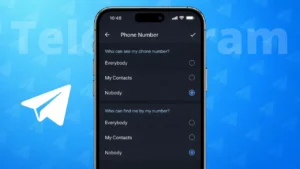
Telegram is widely known for its strong privacy controls, but many users are not aware that their phone number can be visible depending on their settings. If you prefer not to share your number with contacts or strangers, Telegram allows you to hide it easily using built-in options.
This guide explains how to hide your phone number on Telegram, how the settings work, and what to expect after making the change.
Also read: How Message Reactions Work in Telegram and How to Use Them
Why You Might Want to Hide Your Phone Number on Telegram
Your phone number is used to create your Telegram account, but it does not need to be visible to everyone. Some common reasons people hide their number include:
- Avoiding unwanted messages
- Protecting personal privacy
- Using Telegram for public groups or channels
- Keeping work and personal contacts separate
Telegram lets you decide exactly who can see your number.
How to Hide Your Phone Number on Telegram
You can hide your number from within Telegram’s privacy settings. The steps are almost the same on Android, iPhone, and desktop.
Follow These Steps
- Open the Telegram app
- Tap Settings
- Go to Privacy and Security
- Tap Phone Number
You will now see options to control phone number visibility.
Also read: How to Create a Telegram Channel – Complete Beginner Guide
Choose Who Can See Your Phone Number
Under Who can see my phone number, you can select:
- Everybody
- My Contacts
- Nobody
To fully hide your phone number, choose Nobody.
Control Who Can Find You Using Your Number
Below the visibility option, you will see Who can find me by my number.
You can choose:
- Everybody
- My Contacts
Selecting My Contacts limits who can search for your profile using your phone number.
Also read: How to Transfer WhatsApp/Telegram Chats from Android to Android Without Losing Media
Use Exceptions for Better Control
Telegram also lets you customize access using exceptions:
- Add contacts under Always allow
- Block specific people using Never allow
This is useful if you want to share your number only with a few trusted contacts.
What Changes After Hiding Your Phone Number
After updating your settings:
- New users will not see your phone number
- Existing chats stay the same
- Your username remains visible
- You can still receive messages normally
Your account functionality does not change.
Also read: How to Clear WhatsApp Call History Step by Step on Android and iPhone
How People Can Contact You Without Seeing Your Number
If your phone number is hidden, people can still reach you through:
- Your Telegram username
- Shared groups
- Telegram channels
Using a username is the safest way to stay reachable without revealing your phone number.
Important Things to Remember
- Hiding your number does not delete your account
- You can change privacy settings anytime
- Contacts who already saved your number may still recognize you
- Settings apply across all devices
Also read: How to Schedule Do Not Disturb on Android for Better Sleep & Focus
Final Thoughts
Telegram gives users full control over phone number privacy. By adjusting a few settings, you can hide your phone number and still use Telegram without restrictions. If privacy is important to you, hiding your number and using a username is a smart and secure choice.