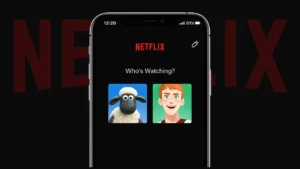
Netflix profiles help keep recommendations separate for each user, and the profile picture makes it easy to recognize your account at a glance. If you want to update your Netflix profile picture, the process is simple, as long as you use the official options Netflix provides.
This guide explains how to change your Netflix profile picture on the app and website, what kind of images you can choose from, and a few things to keep in mind.
Also read: How to Use Android’s Picture-in-Picture Mode to Multitask Like a Pro
What You Should Know Before Changing Your Netflix Profile Picture
Netflix does not allow users to upload personal photos as profile pictures. Instead, you can select from a library of official avatars created by Netflix. These avatars are usually characters from Netflix movies, series, and animated shows.
Using only approved avatars keeps profiles consistent and safe across all devices.
How to Change Netflix Profile Picture on Mobile App
You can update your profile picture easily from the Netflix app on Android or iPhone.
Steps to Follow
- Open the Netflix app
- Tap your profile icon or go to My Netflix
- Select Manage Profiles
- Choose the profile you want to edit
- Tap the current profile picture
- Pick a new avatar from the available list
- Save your changes
Your new profile picture will be applied immediately.
How to Change Netflix Profile Picture on Website
If you prefer using a browser, you can also change your profile picture on the Netflix website.
Steps on Desktop or Mobile Browser
- Open Netflix in your browser
- Sign in to your account
- Hover over the profile icon
- Click Manage Profiles
- Select the profile
- Click the profile image
- Choose a new avatar
- Save the update
The change syncs across all devices linked to your account.
Also read: How to Improve Internet Speed on Android Using Built in Tools Only
Types of Profile Pictures Available on Netflix
Netflix updates its avatar collection regularly. You may find:
- Characters from popular Netflix originals
- Seasonal or newly released show avatars
- Simple illustrated icons
Some avatars appear temporarily and may disappear later.
Why Your Profile Picture Might Not Update
If your new avatar does not appear right away:
- Refresh the app or browser
- Log out and log back in
- Update the Netflix app
- Wait a few minutes for syncing
Most changes appear quickly without any extra steps.
Can Kids Profiles Change Profile Pictures
Kids profiles can also change avatars, but the options are limited to child-friendly characters. This helps keep the experience safe and appropriate.
Also read: How to Find Videos You Have Liked on YouTube Using Any Device
Final Thoughts
Changing your Netflix profile picture is an easy way to personalize your account, even though you cannot upload custom photos. By choosing from Netflix’s official avatar collection, you keep your profile secure and compatible across all devices. If you ever get bored with your avatar, you can switch it again anytime in just a few taps.