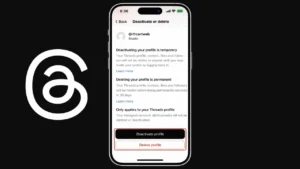
If you no longer want to use Threads but still want to keep your Instagram account active, the good news is that both accounts can now be managed separately. Earlier, deleting Threads affected Instagram too, but that restriction has been removed.
This guide explains the correct and official way to delete your Threads account safely without impacting your Instagram profile.
Also read: How to Update Your Instagram Password Using Mobile or PC
Can You Delete Threads Only
Yes, you can delete your Threads account independently.
Meta has updated the system so users can:
- Remove Threads account separately
- Keep Instagram account active
- Continue using Instagram normally
There is no longer any risk of losing your Instagram account when deleting Threads.
What You Should Know Before Deleting
Before proceeding, keep these points in mind:
- Your Threads profile will be permanently deleted
- All your posts, replies, and interactions will be removed
- The process cannot be reversed after completion
- You may not be able to reuse the same username immediately
If you are not fully sure, consider deactivating instead of deleting.
Steps to Delete Threads Account
Follow these steps inside the Threads app:
Step 1: Open Threads
Launch the Threads app on your device.
Step 2: Go to Profile
Tap your profile icon at the bottom right.
Step 3: Access Settings
Tap the menu or settings icon at the top.
Step 4: Open Account Settings
Go to the Account section.
Step 5: Choose Delete Profile
Tap on Delete Profile.
Step 6: Confirm Action
Follow the instructions and confirm deletion.
After confirmation, your account will be scheduled for permanent removal.
How to Deactivate Threads Instead
If you want a temporary break, deactivation is a better option.
Steps:
- Open Threads
- Go to Profile
- Open Settings
- Tap Account
- Select Deactivate Profile
Benefits of Deactivation:
- Your profile becomes invisible
- Data remains safe
- You can return anytime by logging in
Difference Between Delete and Deactivate
| Feature | Delete Account | Deactivate Account |
| Data removal | Permanent | Temporary |
| Recovery option | Not possible | Possible |
| Visibility | Removed | Hidden |
Choose based on your needs.
Common Reasons to Delete Threads
Users often remove Threads for reasons like:
- Not using the app regularly
- Privacy concerns
- Too many social platforms
- Wanting to simplify digital usage
Also read: How to Secure Your Threads Account From Hackers – A Complete Guide
Final Thoughts
Deleting your Threads account without affecting Instagram is now simple and fully supported. You just need to follow the steps inside the app settings.
If you are unsure, try deactivation first. It gives you flexibility without losing your data, while deletion is best for those who want a permanent exit.