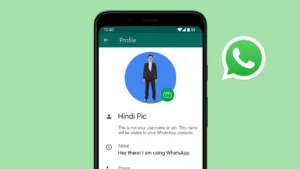
WhatsApp profile pictures often get cropped automatically, which can be frustrating when you want to show your full photo. Many users search for ways to set a full size DP on WhatsApp so their image looks complete and clear. While WhatsApp has some limitations, there are safe and simple methods to show a full profile picture without cutting important parts.
This guide explains what is possible officially, what WhatsApp allows, and how you can adjust your photo correctly.
Also read: How to Transfer WhatsApp/Telegram Chats from Android to Android Without Losing Media
Why WhatsApp Crops Profile Pictures
WhatsApp displays profile pictures in a square format. If your photo is vertical or horizontal, WhatsApp automatically zooms in to fit the square frame. Because of this:
- Faces may get cut
- Background parts disappear
- Group photos look incomplete
This is not a bug. It is how WhatsApp is designed.
Can You Set Full DP on WhatsApp Officially
WhatsApp does not offer a direct option to upload a full size or rectangular profile picture. Every profile photo is displayed in a square shape.
However, you can still show your full image by preparing the photo properly before uploading it.
Method 1 Use WhatsApp Built-in Crop Tool Smartly
This is the safest and most official way.
Steps:
- Open WhatsApp
- Go to Settings
- Tap your profile picture
- Select Edit and choose a photo
- Zoom out as much as possible using pinch gesture
- Adjust the image to fit inside the square
This works best if your photo already has some background space.
Method 2 Add Background Space to Show Full Photo
If your image is getting cropped, the best solution is to add extra background around it so WhatsApp does not zoom in.
You can do this using any simple photo editor or background canvas app.
How it helps:
- Your full image stays visible
- No face or object gets cut
- Profile picture looks clean and centered
Make sure the background color is neutral like white, black, or light gray for a professional look.
Method 3 Use Online Image Resizer Tools
You can also use online tools that convert your photo into a square image by adding borders instead of cropping.
Steps:
- Upload your photo to a square image resizer website
- Choose square format
- Add padding or background color
- Download the edited image
- Upload it as your WhatsApp DP
This method is safe and does not break WhatsApp rules.
What to Avoid When Setting Full DP
To keep your account safe, avoid the following:
- Modified or unofficial WhatsApp apps
- Tools that ask for WhatsApp login
- Apps claiming to unlock hidden WhatsApp features
- Any method that violates WhatsApp terms
Using unofficial apps can lead to temporary or permanent account bans.
Does Full DP Look Good on WhatsApp
Yes, when done properly.
A well-centered full DP:
- Looks clean
- Shows complete face or subject
- Works well in chats and contacts
- Maintains image quality
Just ensure the image is clear and not too zoomed out.
Tips for Best WhatsApp Profile Picture
- Use high resolution images
- Keep your face in the center
- Avoid busy backgrounds
- Use soft lighting
- Keep image size under WhatsApp limits
Optional App to Adjust Full DP Before Uploading
If you find it difficult to adjust your photo manually, you can also use a simple image editor app that helps you fit your full photo into a square frame without cropping.
One such optional app is Full Image DP Editor. This app lets you add background space around your photo so the entire image stays visible when you upload it as your WhatsApp profile picture. You can choose background colors, adjust alignment, and export the image in a WhatsApp-friendly square format.
You can check the app here if you want to explore this option:
https://play.google.com/store/apps/details?id=com.fullimagedpeditor.photography&hl=en_IN
Using such apps is completely optional. WhatsApp works the same way whether you use an app or edit the photo yourself.
Also read: How to Transfer WhatsApp Chats Without Backup on Android and iPhone
Final Thoughts
WhatsApp does not officially allow full size profile pictures, but you can still display your complete photo by preparing it correctly. Using simple background spacing or square resizing methods is completely safe and works perfectly. Avoid shortcuts or unofficial apps and stick to clean, reliable methods to keep your WhatsApp account secure.
If you want a full DP on WhatsApp, the key is not changing WhatsApp but changing your image before uploading it.